How to Place Orders in the New NRG Membrane & Component Shop
We are excited to announce our new shop that will allow any Nanomembrane Research Group (NRG) member to easily order membranes and components. This blog will go over the ordering process and provide some useful information on the ordering process.
IMPORTANT
Membranes come in boxes of 10 unless otherwise stated.
Components come in bags of 50 unless otherwise stated.
The amount shown in stock is the number of boxes/bags that are in stock. This is NOT the total individual pieces. For example, if the stock shows “2 in stock” for membranes, that means there are 2 boxes of membranes in stock and since each box has 20 membranes, this means there are 20 individual membranes.
Contact Ahmet Gurcan (agurcan@u.rochester.edu) with any questions
How to Place an Order:
1. Log in to your NRG account. If you need an NRG account or need your password reset, reach out to James McGrath or Ahmet Gurcan
2. Click on “Component Shop” (shown in the red box in Figure 1)

Figure 1. The home page of the NRG website showing where to click to go to the shop page
3. When you are in the shop, find the product you are interested in ordering and click on the product (shown in the red box in Figure 2).
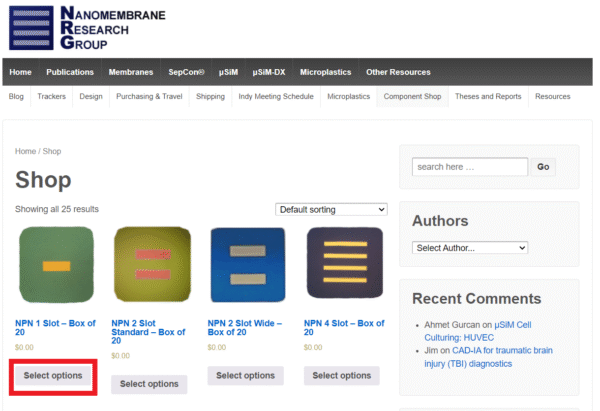
Figure 2. Main shop page
4. Now select the product lot number you wish to order from the product option drop-down (Figure 3). Once you make your selection the amount of that product in stock will be shown as in Figure 5 below.
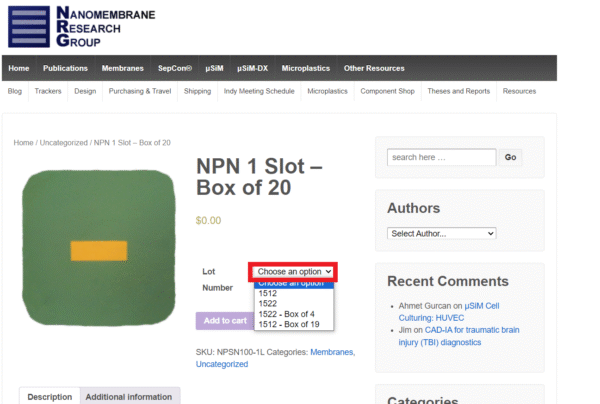
Figure 3: Product option selection
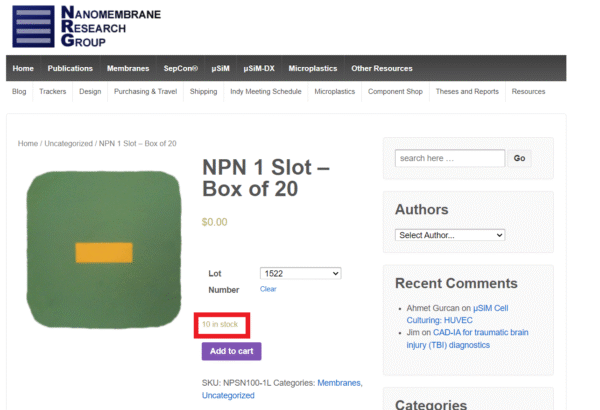
Figure 4: Amount in stock indicator.
You can now click add to cart to add the products to your cart.
5. Once a product has been added to your cart, a banner indicating it has been added to the cart will show up and a view cart button will be shown as seen in Figure 6 below.
6. If you are ready to checkout, click on the view cart button. If you still need to add more products to your cart, you can go back to the main shop page and continue shopping.
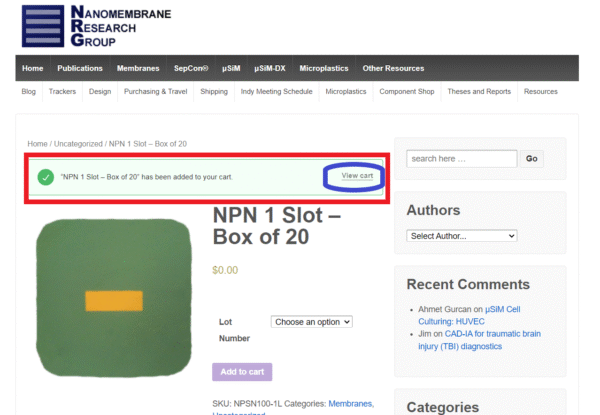
Figure 5: Banner and View Cart icon will show once a product is added to the cart
7. On the cart page you will see how many boxes/bags of each product you will be getting. If these values are correct then you can click “Proceed to Checkout” as shown in Figure 6. If something is not correct, then adjust the values accordingly and then proceed to checkout.
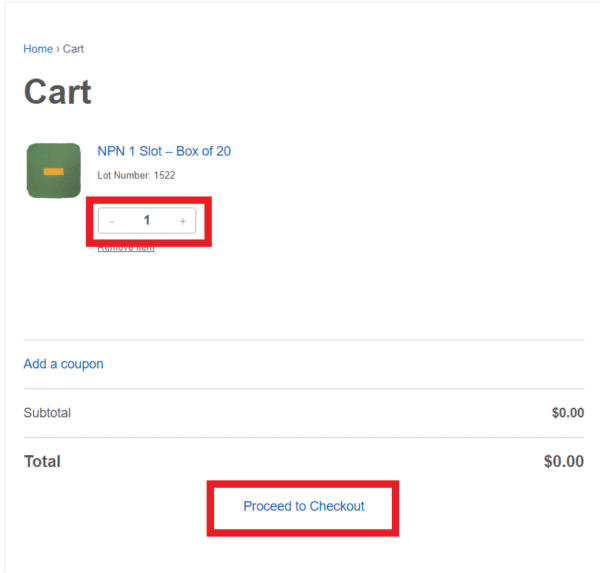
Figure 6: Cart page showing the number of products in the cart and “Proceed to Checkout”.
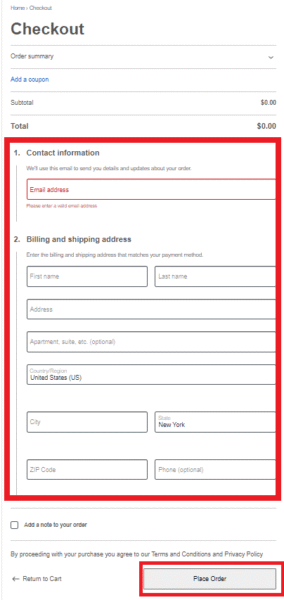
8. On the checkout page, fill in everything in the red box shown in Figure 7 and click “Place Order”. Once your order is placed, you will get a confirmation email, and we will be working on putting it together for you.