Comsol 3D Chip Model
I’ve created a 3D model for our flow chips. It should work between classroom licenses, but in the event it does not I will post a set of step by step instructions to create this model.
The model is currently set to do 2 micron slits, with 12 micron lengths (10micron + two caps). These values can be adjusted in the parameters section of the mph. I have only done 10 slits as this model is computationally intensive and may require mesh adjustment in order to run on normal machines (slit number can be adjusted in the array objects).
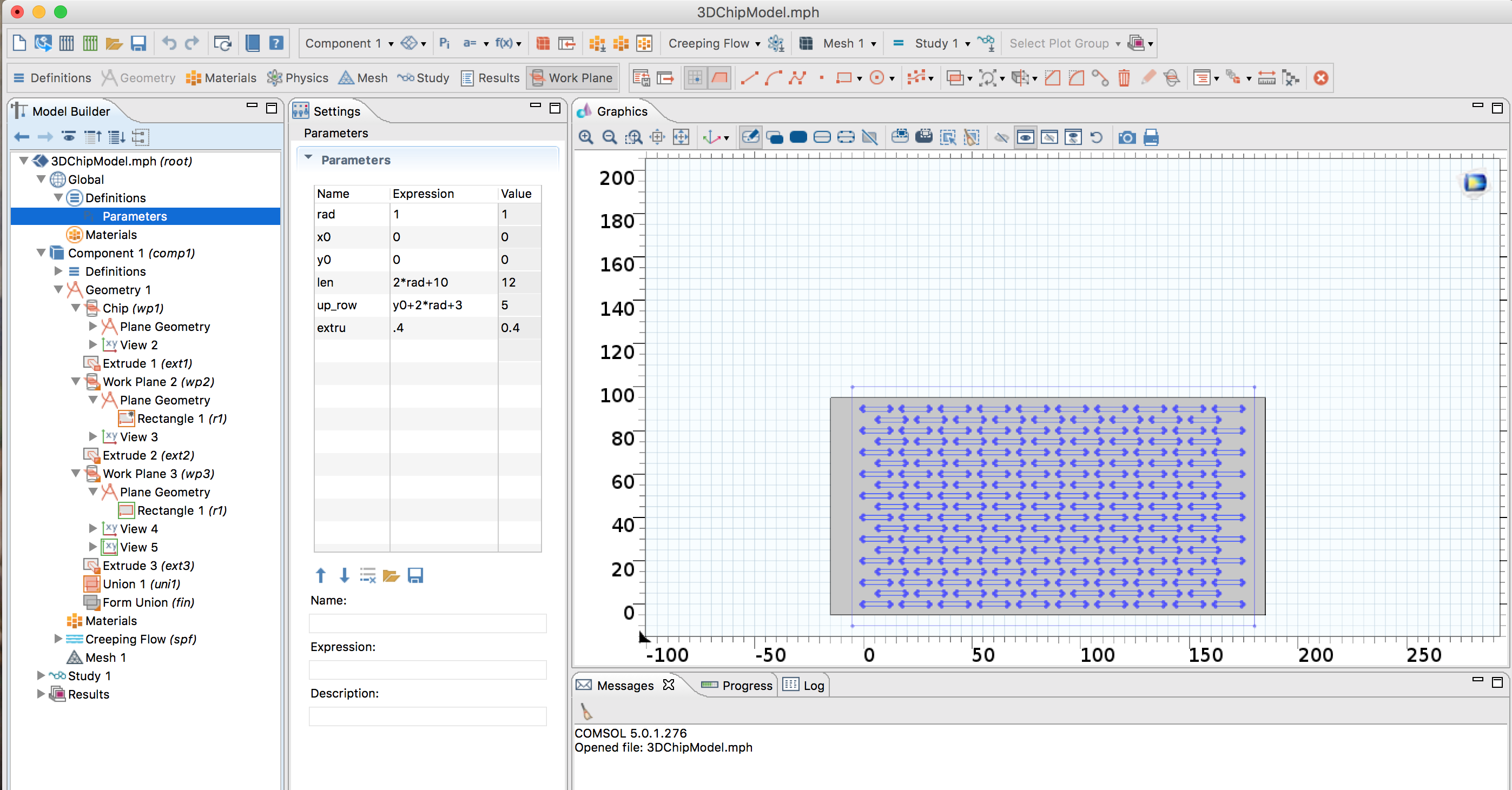
In this section, up_row is the distance between the two unaligned slit layers. The extru variable controls how deep the channels are. The length is controlled by the final number input, here 10 microns, and then added with the two caps of the slits. The distance between slits is controlled and based off 3/2 the length and width values, with an additional displacement if desired.
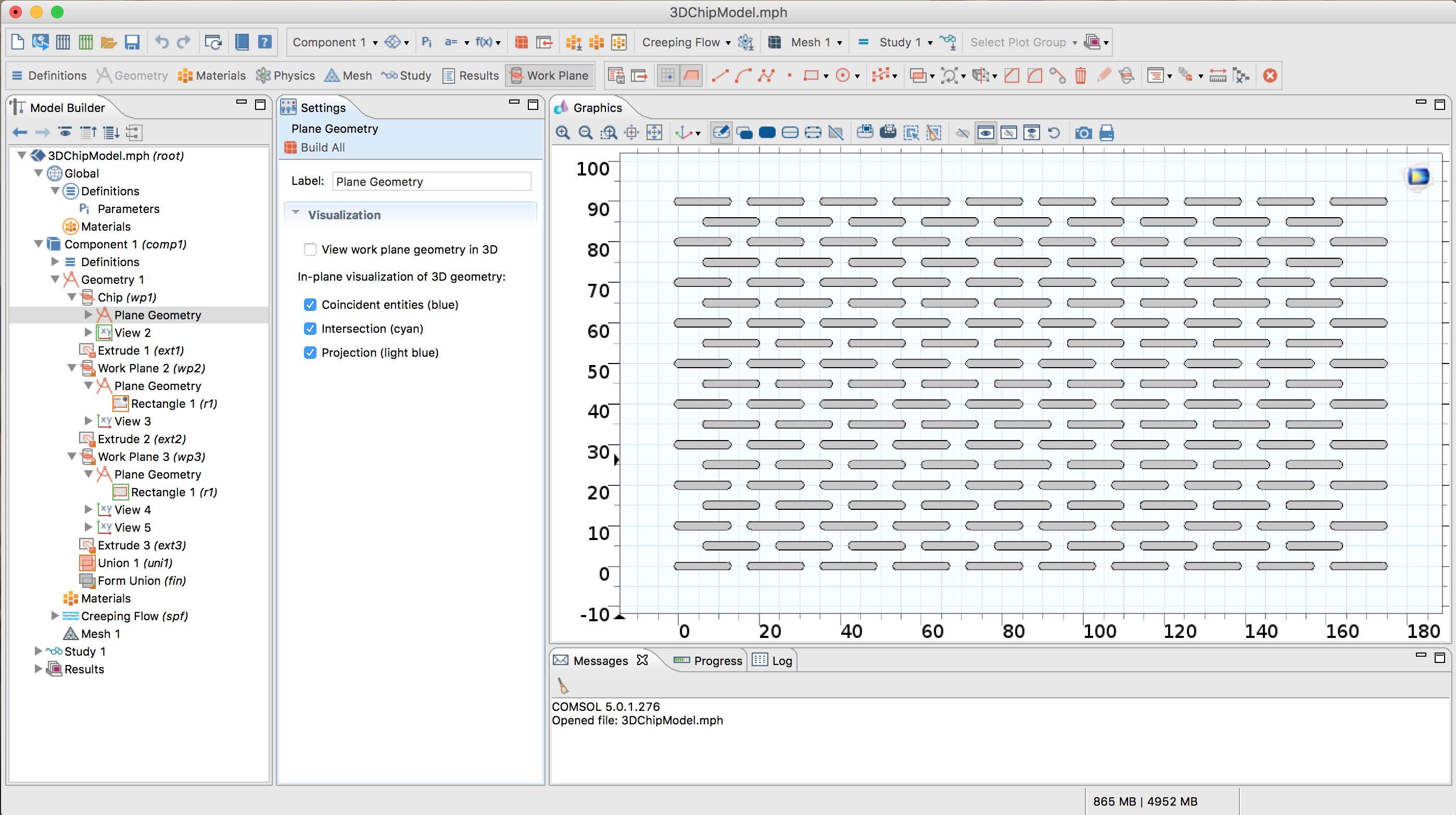
The slit layer itself can be seen below and is comprised of two arrays for the alternating rows.
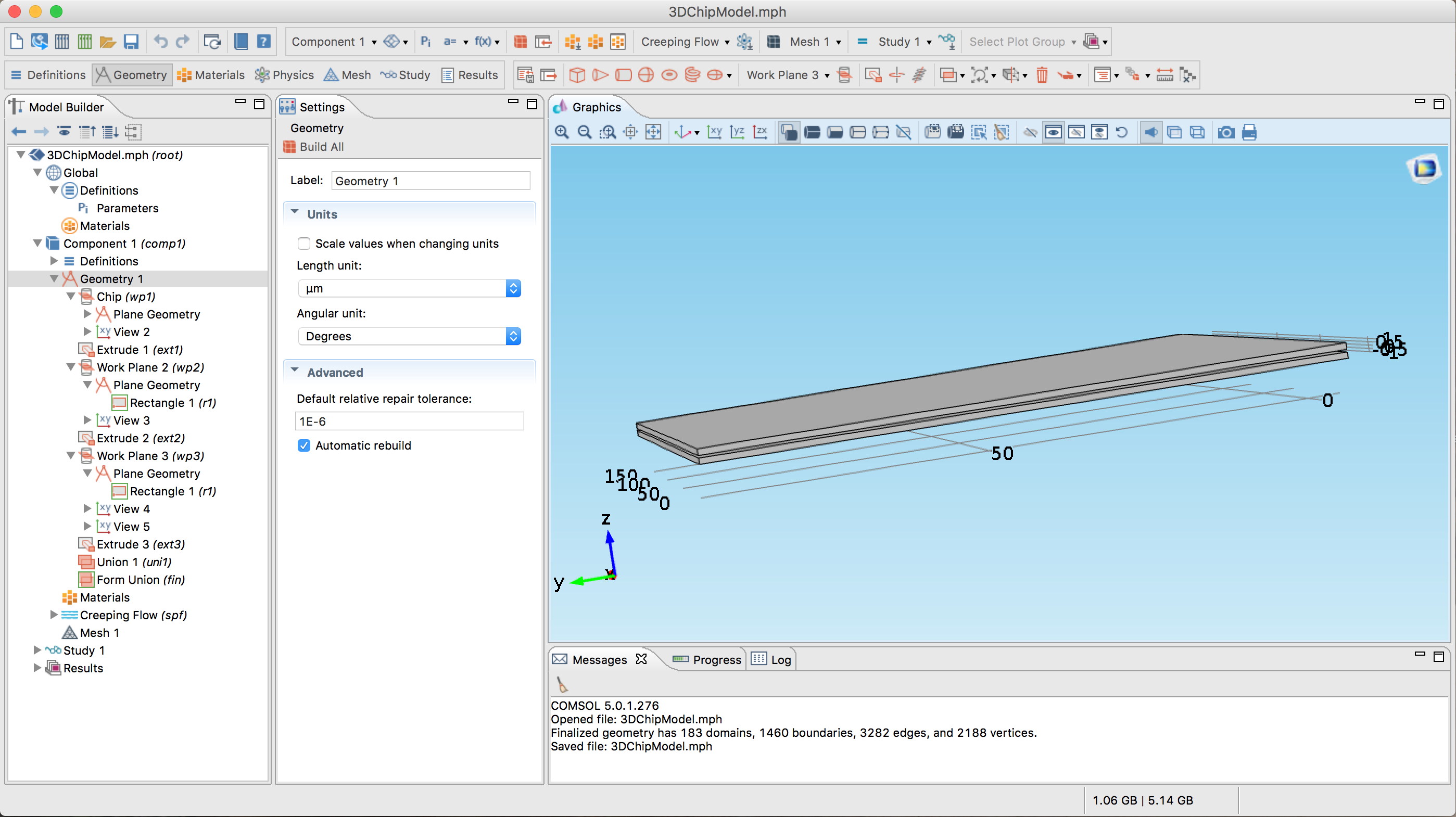
Once the desired parameters have been created, there is one step that required manual user input: creation of the upper and lower channels. This can be accomplished by selecting workplanes 2 and 3 and adjusting the top and bottom covers to completely cover the slits. Building-all will then create additional extrusions and complete the union between the bottom flow channel, slit layer, and top channel. From this point, simply create a mesh and select the desired flow channels for simulations.
While this model is computationally intensive, it can complete coarse mesh simulations in around 20-30 minutes. As the coarse results will not be detailed, it may be more useful to parse the mesh or run on an advanced machine.
You should repost the images at higher resolution and then scale the size down by hand. Then when we click on them they will expand to something we can read.
Thank you, I did not realize there had been a change in size when I uploaded. These are screenshots so they should be max resolution. If you select edit on the image, you can choose to resize to custom/original dimensions. Should be visible now.