Animations with Sketchup
Sketchup is a great tool for showing off your microsystem ideas, complete with animation capabilities. However, it cannot intrinsically move objects around, show how water flows in a channel, or insert pieces into a slot, which are useful for understanding how a microsystem can be assembled.
Keyframe Animation is a plugin for sketchup that allows us to expand these limited capabilities. It works by linearly interpolating object positions/orientations/sizes between each *key * frame. Installation is fairly straightforward within sketchup’s extension warehouse:
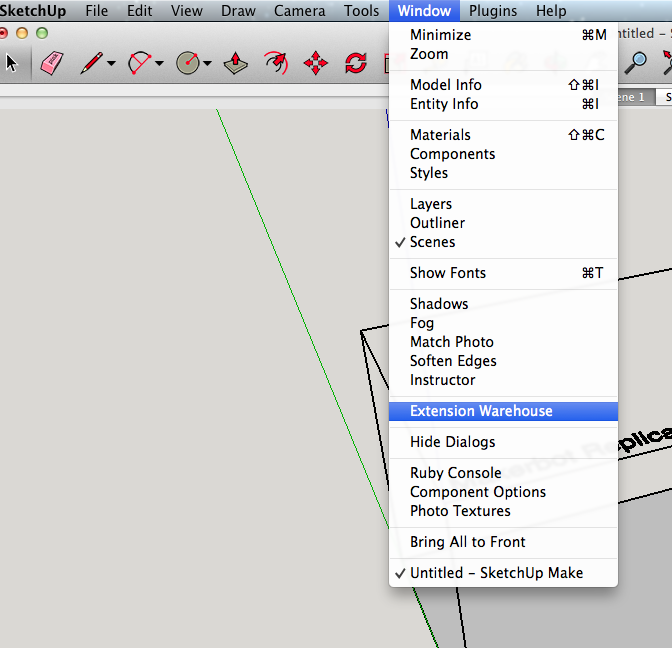
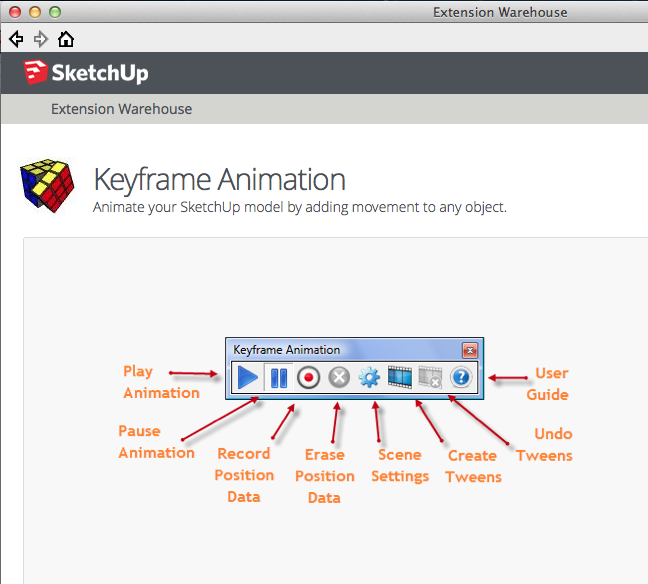
Once you’ve created a free google account (or linked your own), you can install the plugin. Upon the first time running the plugin, you can register, which will remove the free trial warnings
Keyframe Animation User License Information:
Owner: James McGrath
Email Address: jmcgrath@bme.rochester.edu
Serial Number: 2841-2138
Below is the link to the tutorial page for using the plugin.
http://regularpolygon.org/keyframe-animation/tutorials.php
Here are some settings that I’ve found useful:
2 second transition, 1 second delay between scenes
30 fps animation rendering
When the tweens have been exported, render the animation with H.264 (mp4) with 720p default settings.